
Finding a quality laptop without spending a fortune can feel like a minefield. It’s not always easy to tell a genuine bargain from a cheaply made device wrapped in glossy marketing.
With a huge variety of models from numerous manufacturers, which laptop should you choose? And what price point makes sense for your needs?
We’ve done the legwork. Keeping cost and value in mind, we examined the market to identify the best budget laptops for different use cases.
This guide highlights the top Windows, ChromeOS and Mac options you can get without breaking the bank. We also include choices for gamers wanting to economize and for those on a shoestring. Our selections are:
- Microsoft Surface Laptop Go 2 ($600)
- Lenovo Chromebook Duet 5 ($390)
- Apple Macbook Air M1 ($850)
- Lenovo IdeaPad Gaming 3 ($700)
- Lenovo IdeaPad 3 11 ($125)
The 5 Best Budget Laptops of 2022
| Laptop | Price | Display | Operating System | |
|---|---|---|---|---|
| Microsoft Surface Laptop Go 2 | $600 | 12.4” | Windows 11 | SEE DETAILS |
| Lenovo Chromebook Duet 5 | $390 | 13.3” | ChromeOS | SEE DETAILS |
| Apple Macbook Air M1 | $850 | 13.3” | macOS Big Sur | SEE DETAILS |
| Lenovo IdeaPad Gaming 3 | $700 | 15.6” | Windows 11 | SEE DETAILS |
| Lenovo IdeaPad 3 11 | $125 | 11” | ChromeOS | SEE DETAILS |

Microsoft Surface Laptop Go 2
- Touch screen
- HD camera
- Four color options
Microsoft offers a compelling budget pick with the Surface Laptop Go 2. As a leaner sibling to the pricier Surface Laptop series, this model trims nonessential features to deliver an affordable, high-quality experience.
The lightest and slimmest Surface model, the Surface Laptop Go 2 tips the scales at under 2.5 pounds and features an aluminum construction. There are some plastic elements, but overall it feels solid and well made.
The standout is its 12.4-inch PixelSense display. While larger screens have their perks, the compact 12.4-inch multi-touch panel keeps the laptop portable and lightweight. The high-resolution PixelSense display also makes streaming and viewing content enjoyable.
The entry-level Surface Laptop Go 2 ships with an Intel Core i5, 4 GB of RAM and a 128 GB SSD. Those specifications won’t impress power users, but they’re perfectly adequate for web use and productivity tasks in Microsoft Office.
One thing it does earn? Our selection as the best budget laptop.
Battery life is strong too — you can expect roughly 13.5 hours on a single charge, which makes this a great pick for students or anyone frequently on the move. For ports, it includes one USB-C, one USB-A, a headphone jack and a Surface Connect port for charging.
At around $600, Microsoft delivers a well-built machine running familiar Windows software that can handle a wide range of everyday applications. If you want an affordable Windows laptop, the Surface line is a top contender.

Lenovo Chromebook Duet 5
- Touch screen
- 2-in-1 design
- Detachable keyboard
Chromebooks often outshine Windows machines in the budget segment. ChromeOS was built to function well on modest hardware, so you tend to get more usable performance per dollar with a Chromebook.
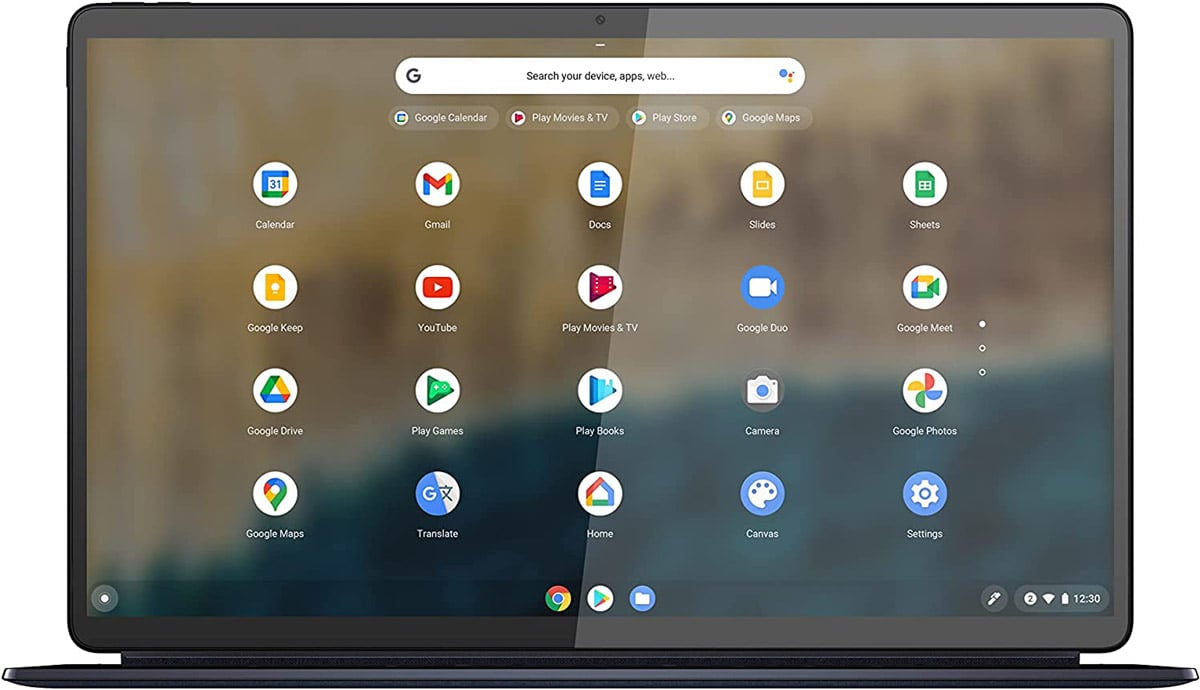
Our favorite affordable Chromebook is the Lenovo Chromebook Duet 5. This hybrid device works as both a laptop and a tablet thanks to its removable keyboard.
The Duet 5 includes a 13.3-inch full HD touchscreen — a comfortable size for a wide range of users. Like higher-end laptops, Lenovo uses an aluminum body here to keep the device durable yet light.
Under the hood is a Qualcomm Snapdragon processor, 8 GB of RAM and a 128 GB SSD. Since ChromeOS is essentially a browser-based OS and doesn’t run native Windows or macOS apps, this hardware is more than sufficient for typical tasks.
Lenovo rates the Chromebook Duet 5 for up to about 12 hours of battery life on a charge, letting you get through a full day of Google Docs, streaming or web browsing. That’s a solid runtime for most users.
Overall, Lenovo provides a noteworthy Chromebook for under $400 — ideal for people who do most of their work in the browser.
Apple Macbook Air M1 (Refurbished)
- Most powerful (and priciest) choice
- Excellent build quality
- Top battery life — up to 18 hours
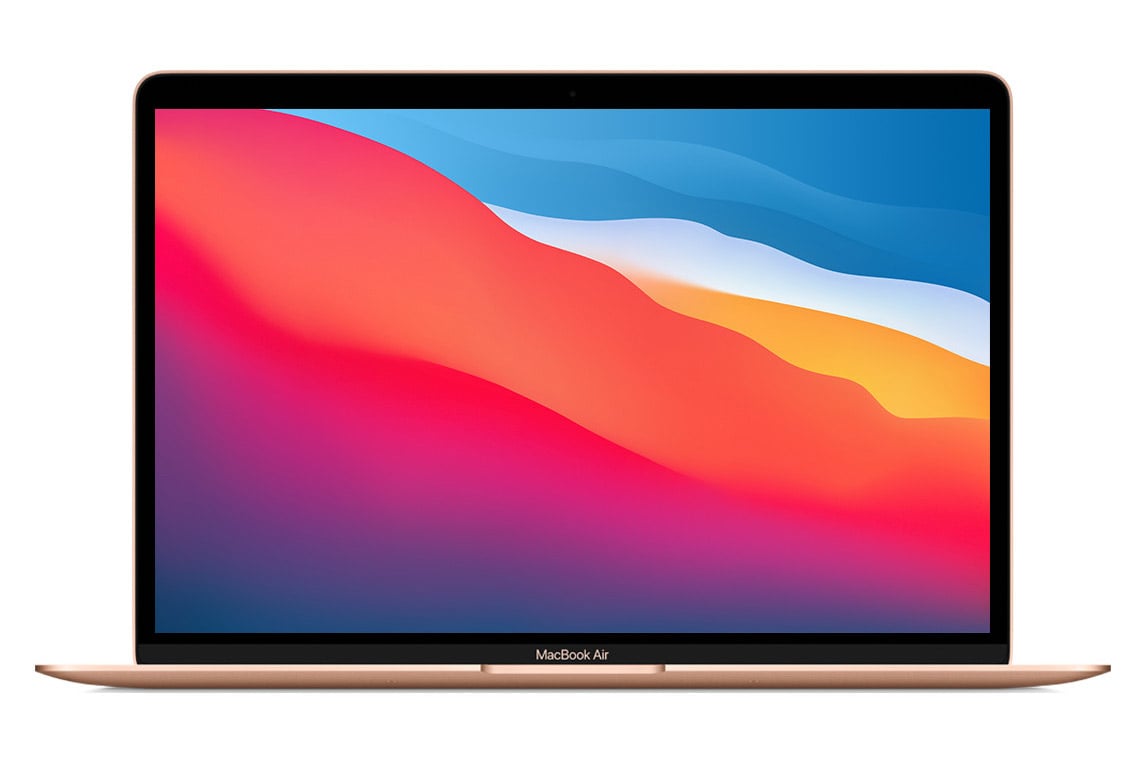
Macs are terrific machines but rarely inexpensive. If you want an Apple laptop while sticking to a budget, consider certified refurbished units such as the Macbook Air with the M1 chip.
Price-wise, expect to pay about $849. While that may seem steep for a refurbished machine, finding a modern Macbook Air for under $1,000 is a very good value.
Refurbished Apple laptops are restored to like-new condition, and the M1 processor delivers impressive performance for tasks such as photo and light video editing.
The Macbook Air isn’t just the most capable — and most expensive — option on this list; it also boasts outstanding construction. You won’t find flimsy plastics here; the Air is milled from a single piece of aluminum.
The 13.3-inch Retina display is the standout screen in our budget roundup — that extra cost translates into a superior visual experience. It offers a sharp LED display with around 400 nits of brightness, which helps readability in bright environments.
Internally, this Air typically includes 8 GB of RAM and 256 GB of fast SSD storage. Connectivity is limited to two USB-C ports and a headphone jack, so you may need adapters for some peripherals.
Macbooks are known for excellent battery life, and this model is no different: up to about 15 hours of web browsing and as much as 18 hours of video playback.
If long battery life is a priority, the Macbook Air M1 is hard to beat. It’s an investment, but likely the best laptop you can buy for under $1,000.
Lenovo IdeaPad Gaming 3
- 120 Hz screen refresh rate
- Fast-charging support
- Gaming-focused keyboard

Many gaming laptops cost well into the thousands, which makes the Lenovo IdeaPad Gaming 3 a rare bargain. For roughly $700, you get Nvidia GeForce GTX 1650 Ti graphics and a solid gaming experience — our top pick for budget gaming laptops.
The chassis isn’t all metal — much of the budget was spent on internals — but the IdeaPad still looks robust. It weighs about 4.8 pounds and includes a blue backlit keyboard; it’s not the lightest machine to tote around.
Inside is a 15.6-inch full HD IPS display that supports several viewing angles and a 120 Hz refresh rate. That higher refresh rate makes in-game motion appear much smoother.
The IdeaPad Gaming 3 pairs an AMD Ryzen 7 CPU with Nvidia graphics and 8 GB of RAM. That combo delivers solid performance for a budget gaming notebook.
Storage comes via a 1 TB hard drive, which provides ample capacity but is slower than SSD alternatives, so load times can be longer when launching games or traveling between game zones.
As with most gaming rigs, battery life is limited. Expect a few hours at best under gaming loads and plan to keep the charger close when playing.

Lenovo IdeaPad 3 11
- Compact and lightweight
- Up to 10–12 hours battery
- Good for everyday tasks
The IdeaPad 3 11 is an extreme budget offering from Lenovo, with a price tag to match. At under $130, it’s our cheapest pick.
The IdeaPad 3 11 won’t be fast enough for heavy-duty chores like video editing, but it handles web surfing and editing documents perfectly well.
Built from plastic, the IdeaPad 3 11 weighs under 2.5 pounds, making it simple to carry. The 11-inch screen can feel cramped to some, but it does help keep the laptop pocketable.
Inside is an Intel 1.1 GHz Celeron processor and 4 GB of RAM — adequate for basic browsing but don’t expect to keep too many Chrome tabs open simultaneously.
Storage is limited to a 32 GB SSD, so you’ll likely rely on cloud services for larger files. ChromeOS integrates smoothly with Google Drive and other cloud tools, which helps offset the small local storage.
For students or casual users, the IdeaPad 3 11 can deliver about 12 hours of battery life for a full day of use.
The Lenovo IdeaPad 3 11 isn’t powerful, but it’s remarkably affordable. If you need an ultra-low-cost laptop for basic online tasks, this could be the right fit.
How We Chose the Best Budget Laptops
The budget laptop market is vast. Our selection process combined hands-on testing with market research, focusing on the elements that most influence real-world use.
Here are the criteria we used when selecting these budget laptops:
- Operating system: Do you prefer Windows, macOS or ChromeOS? We included strong options across all three platforms to fit different preferences.
- Display: The screen is central to the laptop experience. Most of our choices offer full HD or better.
- Processor and RAM: Hardware defines performance. We prioritized machines with reasonable processors and memory for their price.
- Battery: A laptop that dies quickly isn’t very useful. Except for the IdeaPad Gaming 3, most picks offer battery life that can last a typical workday. The Macbook Air M1 stands out with up to 18 hours of battery life.
- Price: It’s all about value. We searched for the strongest specs at each price point, with options ranging from $125 up to about $850.
Frequently Asked Questions (FAQs)
Whether a budget laptop is “good” depends on your expectations. First, define what “budget” means to you — under $1,000, $500 or $200? Second, what tasks will you run — light web browsing, photo editing or gaming?
There are solid budget laptops at every price tier for most needs, though more demanding applications require better hardware, which costs more.
Cheap laptops can still have decent displays, but screen quality is one of the easiest areas for manufacturers to cut costs.
If the display is important to you, aim for at least a 1920 x 1080 (full HD) resolution. An LED backlight is preferable, and an IPS panel offers wider viewing angles and more accurate colors.
Our top pick for overall value is the Microsoft Surface Laptop Go 2 at about $600.
We also recommend:
- Lenovo Chromebook Duet 5 ($390) running ChromeOS
- Macbook Air M1 ($850) as a refurbished option
- Lenovo IdeaPad Gaming 3 ($700) for budget gaming
- Lenovo IdeaPad 3 11 ($125) for a very low-cost option
If you’re also weighing when to buy, check our guide on the best time to buy a laptop. And if you’re shopping on a tight phone budget while choosing a laptop, our list of the best budget smartphones may help you balance spending across devices.
Jordan Ellis is a senior writer for Savinly specializing in consumer tech.