We all need to eat, right? Yet wow — grocery costs have become shockingly high lately. Food prices have climbed noticeably over the past couple of years, according to the federal consumer price index.
Ultimately, you can’t completely dodge that supermarket checkout. So you might as well try to trim your spending where you can. Below are a dozen apps that can help you stretch your grocery budget.
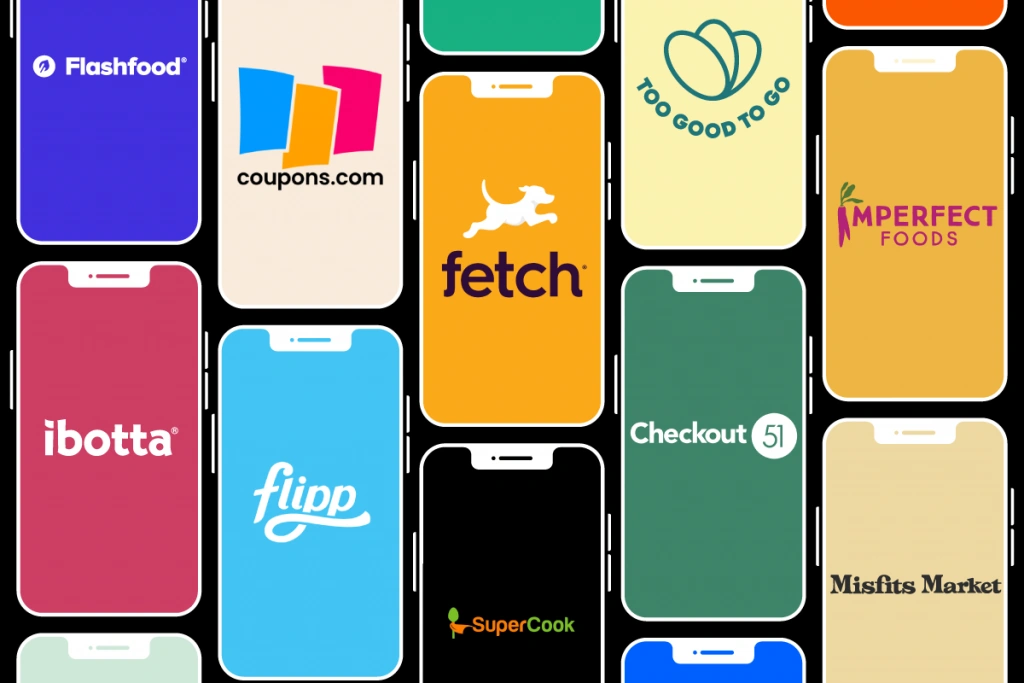
These tools serve different purposes, so we’ve grouped them by function:
- Grocery price comparison apps — Flipp and Basket
- Pantry inventory and recipe apps — SuperCook and KitchenPal
- Near-expiration food purchase apps — Flashfood and Too Good To Go
- “Ugly” produce subscription services — Misfits Market and Imperfect Foods
- Coupon and rebate apps — Ibotta, Fetch, Checkout51 and Coupons.com
There are plenty of ways to use apps to save on food — and we bet you haven’t experimented with all of them. If you truly want to keep more cash while still eating well, step outside your routine and try something different.
All of these apps are free to download, though a couple offer premium tiers with added features.

Grocery Price Comparison Apps
If you live in a town of any size, you likely have several grocery options. Which store has the best prices right now? These apps help you find out.
1. Flipp
Flipp is a handy tool we often recommend. The app lets you compare prices across different supermarkets and even delivery services. You can browse individual item prices or flip through store circulars to spot sales.
Flipp essentially digitizes weekly grocery ads from the Sunday paper so you can view what’s on sale nearby. Available for iOS and Android.
2. Basket
Basket also helps you compare grocery prices. Create a shopping cart within the app, then Basket checks nearby stores and tallies the estimated totals so you can see where your list will be cheapest within a five-mile radius.
The app supports more than 100 chains. It’s worth trying Basket before you head out shopping. Available for iOS.
Pantry Inventory and Food-Waste Prevention Apps
This is a busy category with many contenders. We’ll highlight two solid options.
3. SuperCook
How often have you opened the fridge and wondered, “What can I make with this?”
Before you run to the store or order takeout, SuperCook recommends recipes based on the ingredients you already have in your fridge, pantry and freezer. Its recipe database contains millions of options.
Adding ingredients is simple — tap common items like butter, eggs and milk or enter items that aren’t listed. You can even use voice mode to tell the app what’s on hand.
Available for iOS and Android.
4. KitchenPal
This well-liked pantry-inventory app includes a barcode scanner, which comes in handy when cataloging your entire pantry, fridge and freezer. Scan product barcodes and the app automatically adds them to your inventory.
KitchenPal serves as a pantry manager, grocery list, product comparator, meal planner and recipe idea hub all in one. The app adapts and offers smarter suggestions the more you use it.
Once you catalog 100 items you’ll need to pay to expand capacity. Premium costs $2.99/month or $11.99/year.
Available for iOS and Android.
Other options
There are many other apps in this space. Consider alternatives like Pantry Check, My Pantry Tracker, BigOven, NoWaste and Cookpad.

Near-Expiration Food Purchase Apps
“Near-expiration food purchase apps” might not sound mouthwatering, but this option can be surprisingly appealing.
Many bakeries, buffets and supermarkets throw out perfectly good food daily. Apps like Flashfood and Too Good To Go link businesses with consumers who will buy food near its sell-by date at steep discounts.
The main drawback? These apps are available only in select U.S. locations.
5. Too Good To Go
This service connects you with businesses that have surplus food. You pick a participating store or restaurant and purchase a “surprise bag” of leftover items at a lower price. Surprise bags typically cost $4–$7 and contain food that would otherwise be discarded. Pay in the app, then pick up your order.
Too Good To Go is currently active in 17 U.S. cities across states like Texas, California, Maine, Maryland, Florida, Oregon, Rhode Island, Illinois, Massachusetts and Washington.
Available for iOS and Android.
6. Flashfood
This app surfaces food that’s close to its sell-by date so you can buy it at a discount. Browse what local grocery stores have listed — items can include produce, meat, dairy, bread and snacks — often discounted around 50%.
States with participating stores include Delaware, Florida, Illinois, Indiana, Iowa, Kentucky, Maryland, Massachusetts, Michigan, Nebraska, New York, Ohio, Pennsylvania, Rhode Island, Virginia, West Virginia and Wisconsin.
Available for iOS and Android.

“Ugly” Produce Subscription Services
Subscription produce boxes like Misfits Market and Imperfect Foods bring fresh produce and pantry staples to your door — similar to grocery delivery services. The difference: they include perfectly edible but cosmetically imperfect fruits and vegetables that stores might reject.
Both services are free to join and let customers skip or cancel deliveries. Weekly boxes are filled with a curated selection of oddly shaped fruits, quirky veggies and often pantry items, meat, seafood and snacks. You can usually swap items in your box to suit your preferences.
If you normally buy organic produce at the supermarket, these subscriptions can lower your bill. While the two services are alike, they have some notable differences.
7. Misfits Market
This service operates widely across the contiguous U.S. and offers transparent sourcing for its fresh items. It also sells wine and has a points program to earn discounts and freebies. However, Misfits Market requires a minimum order and delivery fees can be higher depending on your location.
Available for iOS and Android.
8. Imperfect Foods
Imperfect Foods has a smaller delivery area, concentrated on both coasts and select Midwestern cities. Emphasizing reduced environmental impact, Imperfect Foods operates its own electric delivery vans and schedules deliveries by zip code.
Available for iOS and Android.

Coupon and Rebate Apps
This is the largest category. There are many choices, but don’t let that overwhelm you. You don’t need to pick just one — some of these can be used together for extra savings.
Keep in mind these cash-back apps typically focus on national brands, so always compare prices. Store-brand or generics can sometimes be cheaper even without rebates.
9. Ibotta
Ibotta is the heavyweight among grocery cash-back apps with millions of users.
Before shopping, choose your store in the app and browse available cash-back offers for specific national brands. After buying, either scan your receipt or link your store loyalty card so purchases are tracked automatically.
You can withdraw funds from your Ibotta balance once you reach $20 in cash back. Available for iOS and Android.
10. Fetch
Fetch works similarly to Ibotta but is often even simpler to use.
If you want effortless savings without hunting for offers, Fetch is a great pick. You don’t need to pre-select deals — just snap a photo of your receipt.
Every receipt that includes one of the hundreds of participating brands earns you points automatically. If the app also matches specific offers, you’ll earn extra points.
Redeem points for gift cards to retailers like Walmart, Target and Amazon once you’ve accumulated enough. Available for iOS and Android.
11. Checkout51
The Checkout51 app operates much like Ibotta. Browse current cash-back offers in the app before you shop — Checkout51 refreshes its deals every Thursday.
After shopping, tap “redeem” next to products you purchased and upload a photo of your receipt.
You can cash out once you’ve earned $20. Checkout51’s offers can often be stacked with other coupons or app deals.
Available for iOS and Android.
12. Coupons.com
Coupons.com is a strong source for saving on many brand-name products, from snack crackers to pet food, cosmetics and air fresheners.
Besides printable manufacturer coupons, Coupons.com lets you link your grocery loyalty card to load digital coupons into your account so savings are applied automatically at checkout.
The site also offers cash-back deals so you can earn when you buy qualifying products. Available for iOS and Android.
13. Grocery Chain Apps
Many of us shop regularly at one or two favorite grocery chains — whether it’s Walmart, Costco, Kroger, Albertsons, Publix, Food Lion, H-E-B, Meijer, Safeway, Hy-Vee, Price Chopper, Aldi, Trader Joe’s or Target.
If your preferred supermarket is part of a major chain, it likely offers its own app with extra coupons and deals. Popular examples include apps like I Heart Kroger, I Heart Publix and Target’s app.
It’s worth installing your store’s app since you’re shopping there anyway.
As noted, groceries are alarmingly expensive right now, and a trip through the checkout can sting.
Hopefully these dozen-or-so apps can help soften that blow and keep more money in your wallet.
Jamie Carter is a senior writer at Savinly.