When I shop for groceries, it feels like I’m assigning myself tedious chores. I grab items from the shelves and toss them into my cart thinking, “Here’s another task for later. Oh, and here’s more work for you. Look — even more work.”
Groceries don’t come cheap, and it doesn’t help that I usually have at least one impulse purchase that seemed smart in the store but ends up wasting money as it sits forgotten in my pantry. (I’m looking at you, fig jam!)
Then there are the sugar temptations. The entire supermarket is stocked with treats I shouldn’t indulge in if I want to shed pounds. The cookie aisle might as well be a shadowy lane where some shady character murmurs, “Psst! Want some birthday cake Oreos? Come on, everyone’s having them!”
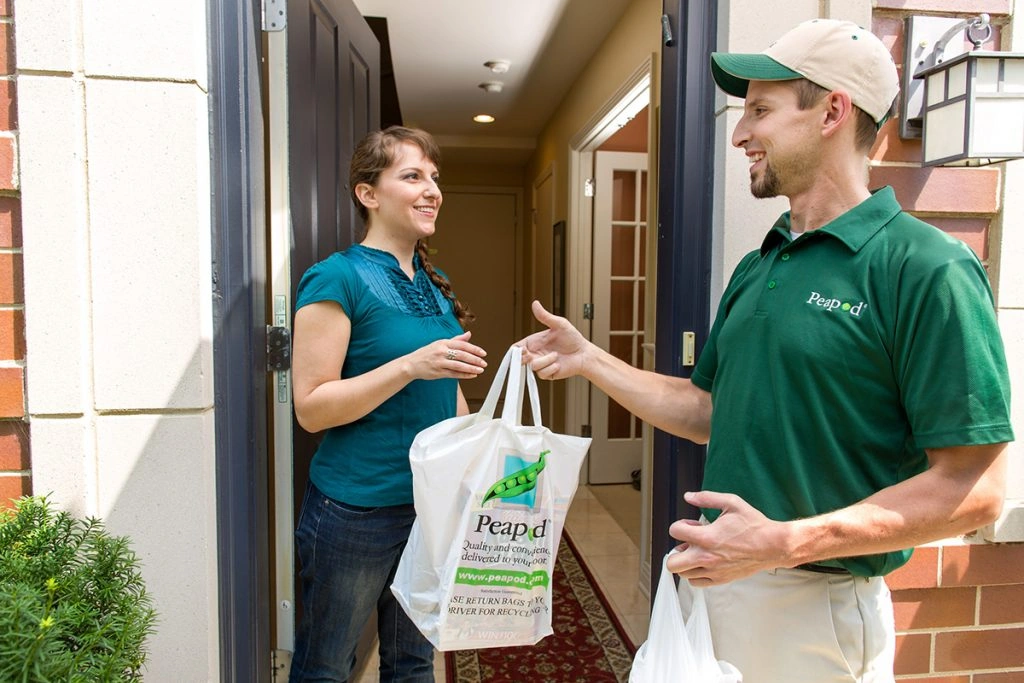
So I was ecstatic when Peapod became available where I live. Peapod partners with my neighborhood grocery chain. I place my grocery order through Peapod’s app or website, then choose either to pick up the items curbside or have them delivered to my door.
Peapod has helped me cut costs, reclaim time and preserve my waistline.
Here’s my candid Peapod roundup.
How to Cut Costs With Peapod

If I shopped in-person, I’d be lured into purchasing items I don’t really need from seasonal displays or flashy end caps.
Following my grocery list becomes effortless when I use Peapod. I scan my refrigerator and pantry to note which staples are low, then add them to my Peapod cart.
After that, I schedule lunches and dinners for the week and include those ingredients as well.
I also economize because Peapod highlights sale items first in search results. For example, when I search for “butter lettuce,” the top result is the store-brand bagged lettuce on sale for $2. Compare that to the name brand, which costs $2.59.
I just pocketed 59 cents without wandering down the produce aisle comparing bagged salads.
Peapod Helps You Save Calories
Saving calories matters to me as much as saving money. Peapod has been extremely useful for my wellness goals.
I’ve been working with a health coach for six months. We set a 1,600-calorie daily cap so I could lose weight gradually and sustainably. I researched what to keep on hand for when cravings strike and began planning weekday dinners to stay within my calorie allotment.
With a tap, Peapod displays the item’s nutrition facts so I can decide whether it fits my calorie budget.
I don’t know if it’s the same where you live, but every grocery store nearby puts tempting bakery goodies right inside the front door. Peapod keeps me from having to push past those trays of cookies and cakes. And I don’t have to resist free samples.
Since October, I’ve dropped nine pounds. That may not be awe-inspiring compared to contestants on “The Biggest Loser,” but I’m proud. I lost nine pounds during a stretch that included Halloween, Thanksgiving and Christmas!
Peapod played a major role in that success. As I said earlier, by ordering through Peapod rather than wandering the aisles, I’m less inclined to buy foods that derail my progress.
Save Time

Peapod’s search engine is excellent, so locating items is quick. What might take me several minutes to find in-store requires only seconds on the app.
I can save still more time by reloading my previous order or browsing through past orders to see if I need anything else.
I can tell my Amazon Echo Dot, “Alexa, tell Peapod to add [fill in the blank] to my shopping cart.” Like magic, Alexa finds the product and asks if I want to add it to my Peapod cart. When I confirm, she replies, “Your wish is my command.”
The Fees
Peapod provides two types of service depending on your location. In my region, they offer both delivery and pickup options.
Delivery fees vary with your order total. For orders between $60 and $75, the charge is $9.95. For $75 to $100, it’s $8.95. Orders above $100 incur a $7.95 fee.
Because the store is very near my home, I usually opt for pickup. The fee is only $2.95, with a $60 minimum. Plus, Peapod often emails coupons that waive the fee altogether.
But Nothing Is Perfect

There are a few areas where Peapod could improve.
First, I can’t use Ibotta when I order through Peapod. I discovered Ibotta after reading about it on Savinly. Now I’m hooked. I earned roughly $12 cash back in four weeks. However, Ibotta doesn’t provide cash back for Peapod transactions, which is disappointing.
Second, I need to plan ahead to use Peapod; you must place your order about 24 hours before pickup or delivery. That doesn’t always align with my schedule.
For example, I might run out of something the day my order is due to be picked up. In that case, I have to make an extra trip to the store because it’s too late to add the missing item. I’d love a “last-minute add” feature.
My final gripe with Peapod is sometimes my order arrives incomplete, and I don’t realize it until it’s too late.
Once I planned to prepare salmon, potatoes and broccoli for dinner. But when I opened the fridge, there was no salmon. I checked the invoice and saw it was marked out of stock when my order was assembled.
All my planning and time savings were wasted, and I had to scramble to cobble together dinner. I wish I’d received a notification rather than a tiny note on the invoice that I easily overlooked.
Peapod won’t suit everyone. I have friends who enjoy wandering the aisles to find inspiration or discover new products. But if you want to save money, save time and stay healthier, Peapod could be a great fit for you.